
React Native app development
React Native's real advantage is rarely technical. It is that your web engineers can contribute to the mobile app, you hire from one pool, and the product shares logic instead of reimplementing it twice.
01Capabilities
What your existing web team can carry onto the phone
React Native fits best where a mobile app sits next to an existing React product and the two should not diverge. Each of these four is a version of the same question: how much of what you already have comes with you.
- Companion
Mobile companions to a React web product
Where the web app is already React, sharing validation, types and API clients across web and mobile is a genuine saving rather than a theoretical one. This is the case the framework was made for, and it is usually a web development engagement that grew a phone.
- Consumer
Consumer apps with conventional interfaces
Onboarding, lists, forms, profiles, notifications and payments, delivered on both platforms by one team. Most consumer apps are honestly this, and React Native handles it without drama.
- Membership
Membership and community apps
Apps like the sports association platform we built, where the mobile surface is the primary way members interact and the backend already exists.
- Team
Adding mobile to an existing product team
Where the constraint is that you do not want a separate mobile team with its own release process and its own backlog. One team, one language, one review culture.
02Case studies
A companion app we shipped beside a web platform
One published build, in sport, where the app and the web platform were rebuilt by the same team.
See all case studies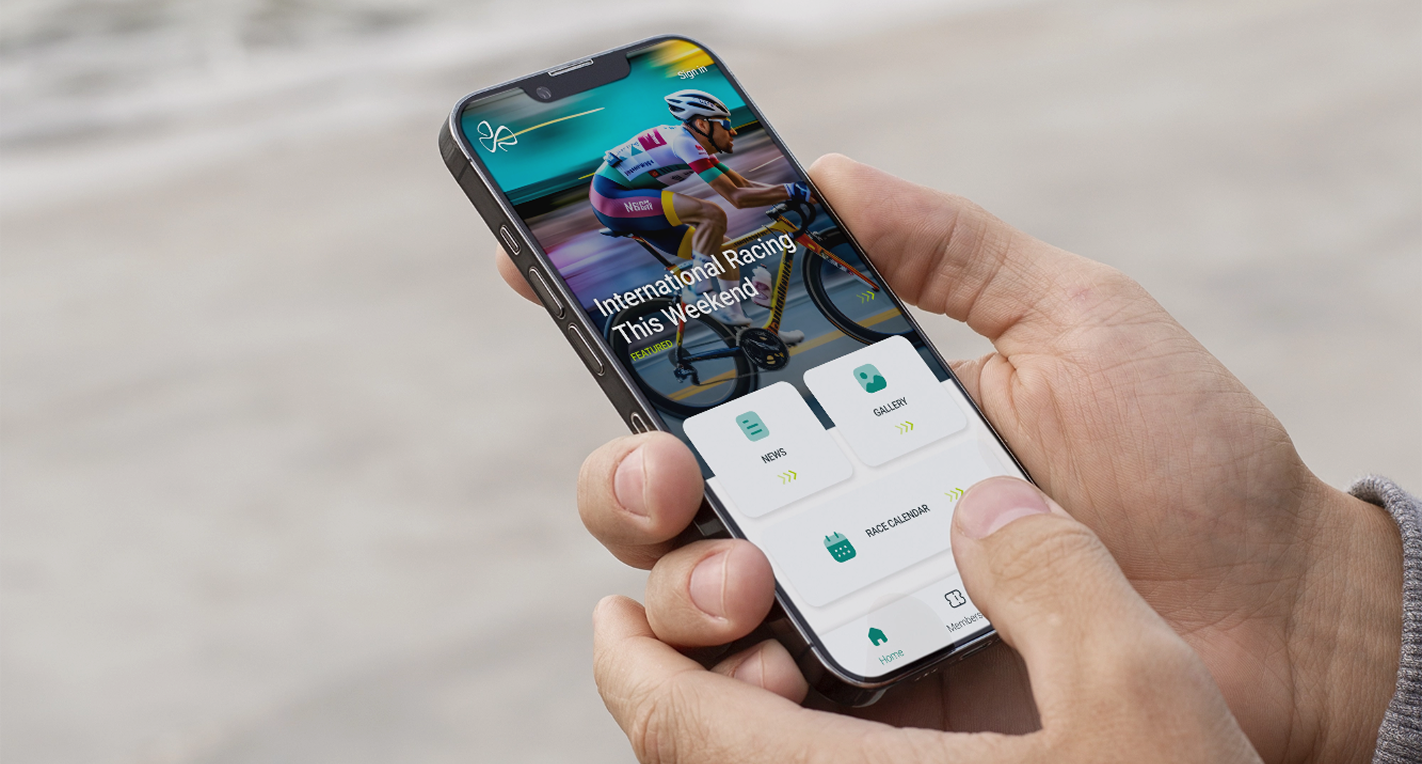
03Fit
When React Native's shared team pays off
React Native wins on team economics far more often than on technical merit, and that is a legitimate reason to choose it. It is also the reason it stops working: take the shared team away and the argument goes with it. Each of the six rows below names the plan that fits, from React Native itself to a different framework or one platform first.
| Your situation | What we recommend |
|---|---|
| An existing React and TypeScript team, and an app of conventional screens | Use React NativeShared people and shared code are the whole argument, and here it is a strong one. The same engineers who ship your React web product ship the app. |
| Starting fresh, with a bespoke design language that must be identical on both platforms | Different pageOur Flutter page. Its own rendering engine gives you more control over an interface that owes nothing to platform convention. |
| Heavy Bluetooth, a camera pipeline, or sustained background processing | Different pageNative Swift and Kotlin, on our iOS and Android page. You will write native modules anyway, and then you own the worst of both. |
| An animation-led interface with continuous gesture interaction throughout | Price it firstPossible, and this is where the architecture stops being free. Budget the engineering time before you commit, not after testing finds it. |
| Nobody on the team has a JavaScript background | Choose on the deviceThe saving was in your people, and there is none to make. Choose on the interface and the device instead, from scratch. |
| You need one platform live soon, and the second is a maybe | Build one onlyCross-platform is a bet on the second platform arriving. If it is a maybe, build the one you are sure of, natively. |
Scope
What we own is the boundary between shared code and app code. That includes which native modules you end up maintaining, and how the next upgrade will go. unicrew has been building software since 2012, with 100+ senior in-house engineers across six countries. The work runs under an ISO 27001:2022 certified information-security management system. We check the shared-code saving against your product before you commit to it.
React Native works best when you already run a React web team and the app sits beside your product, because your team keeps one set of skills. Where the app is the product itself and needs demanding interactions, we build it natively or in Flutter.
 Andrii BurdaSenior Engineering Manager, unicrew
04Delivery
Drawing the line between shared code and app code
The failure modes here are well understood and all four sit on the same seam: what the web and the app hold in common, and what they must not. We decide it in this order.
- Decide the native-module boundary earlyWhich platform features you need and whether a maintained library covers them. Every native module you write yourself is a permanent maintenance obligation, and knowing the list up front changes the estimate.
- Share deliberately, not automaticallyTypes, validation and API clients are worth sharing with the web. UI components usually are not, and forcing that is how apps end up feeling wrong on both platforms.
- Plan the upgrade pathReact Native upgrades are more disruptive than web dependency updates. We pick a version deliberately and schedule upgrades rather than drifting several majors behind and then facing a project.
- Measure on real devicesStartup time and list performance on mid-range Android hardware, not on the newest iPhone. That is where cross-platform overhead actually shows up, and it is checked by the same QA and test automation practice we use on our own projects.
05Stack
What sits either side of this decision
The four pages the table above hands you off to, each answering a different half of the question.


06Questions
Questions from teams who already run React
Answered the way we would answer them on a call. If yours is not here, it is a good first message.
You can bring our engineers onto your team, and here that works well, because the same people move between your web and mobile codebases. They own the native-module and upgrade decisions as part of the work, because those set the maintenance cost you inherit. Design review comes from an architect outside the delivery team, under the same QA practice as our own projects. Team extension is managed teams; the outcome is mobile app development.
If you already have React engineers, React Native almost always wins, because the saving is in people rather than in code. If you are starting fresh and the interface is highly custom, Flutter gives you more control over rendering. Both are mature enough to build a serious product on, and the decision should follow your team rather than a benchmark.
For a conventional app, yes, and your users will not be able to tell. Where it becomes visible is continuous gesture interaction, complex animation, and very long lists on older Android hardware. Those are solvable, and they cost real engineering time. If your product is animation-led, we flag that now rather than find it in testing.
Types, validation rules, API clients and business logic, yes, and that is where the genuine saving lives. UI components, mostly no. Sharing components across web and mobile tends to produce something that suits neither, so we share the layers below the interface and let each platform own its presentation. That boundary is the first thing we agree with you.
A scoping call with an engineer. We want to know what your team already runs, and what the app must do on the device. Those two answers decide the framework more than anything else. For an existing app we ask for the repository and the crash data first. Most engagements start within two to four weeks.
Three shapes, and which one fits depends on how settled the scope is. Time and materials is billed hourly and quoted per project, which suits work still moving. Fixed price is outcome based and quoted per project, offered once the first read is done. Team extension is billed monthly per engineer. The rate follows the seniority mix the work needs, so it is quoted rather than listed.
Adding a phone app to a product you already run?
Tell us what your web stack is and what the app must do on the device. You will get a straight answer on what the shared code would save you.