Why Your Service Business Needs a CRM
A CRM for service business centralizes client data, automates follow-ups, and drives growth. Discover 9 key benefits and how to pick the right platform.

Volodymyr KhitsiakSenior Marketing Manager
Published · Updated
Share

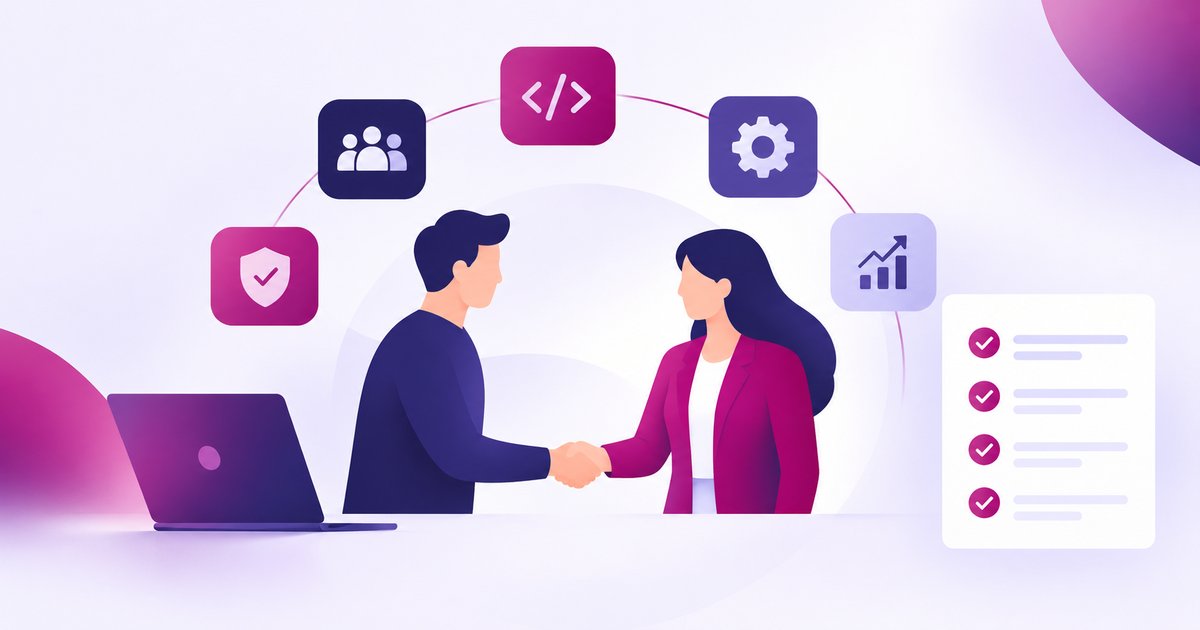
A CRM for service business does more than store contacts. It centralizes every client interaction, automates follow-ups, and gives your team the visibility needed to close deals and deliver consistently excellent service. According to Salesforce, companies using CRM software see an average return of $8.70 for every dollar spent.
Most service businesses hit a wall somewhere between 10 and 30 active clients. Communication breaks down, leads slip through the cracks, and it becomes unclear what was promised to which customer. Customer Relationship Management (CRM) software is the operational backbone that fixes this. It centralizes, simplifies, and scales how you manage customer relationships, from the first inquiry through to renewal and repeat business.
What Are the Benefits of CRM for a Service Business?
There are a number of concrete advantages a CRM brings to a service business. Here is a look at each one.
- CRM stores and organizes your client data. All your emails, call logs, social media analytics, and customer history are stored in one place. Instead of hunting through inboxes or spreadsheets to recall what was discussed with a client three months ago, your team has everything at their fingertips. CRM software makes it dramatically easier to manage relationships at scale, especially once you move past ten or fifteen active clients.
- CRM keeps your team connected. Every employee can log new client interactions and instantly see what their colleagues have entered. This is particularly valuable for service businesses with remote teams or multiple departments. No more chasing down colleagues for updates or relying on someone's memory. Company-wide reminders, shared notes, and a single source of truth mean that everyone stays aligned without the overhead of constant status meetings.
- CRM helps boost sales. The core purpose of a CRM for service business is growth. It tracks the complete sales cycle so you can see every deal at every stage. Your team spends less time on administrative tasks and more time actually selling. Research from Nucleus Research found that CRM adoption can increase sales productivity by up to 15%, and companies using CRM are 86% more likely to exceed their sales targets.
- CRM segments your contacts into meaningful groups. Not every client engages with your business the same way. Some buy once during a promotion; others are long-term retainer clients. A CRM lets you group customers by purchase history, industry, engagement level, or any other criteria relevant to your business. Targeted outreach based on those segments consistently outperforms mass messaging in both open rates and conversion.
- CRM brings consistency to how you work. When accurate data is accessible to everyone, your team stops wasting time double-checking information or verifying details across departments. New employees onboard faster because everything they need is already in the system. Clients notice the consistency too: they are not repeating themselves to every person they speak with, which builds trust and confidence in your service.
- CRM gives you full visibility into your sales pipeline. Beyond basic contact data, a CRM captures buying preferences, purchase history, and recurring topics of interest for each client. This lets your team make timely, relevant recommendations rather than generic follow-ups. You can also identify the exact stages where prospects are dropping off, pointing directly to where your sales process or service delivery needs attention.
- CRM comes with built-in analytics tools. The reporting capabilities inside a good CRM surface patterns that would otherwise stay invisible: lead conversion rates by channel, regional performance gaps, opportunity close rates by sales rep. Instead of running reports manually or relying on gut instinct, your team can make decisions based on what the data actually shows. Sales forecasting accuracy improves by an average of 32% with CRM adoption, according to Salesmate's 2026 CRM statistics report.
- CRM helps you deliver a better customer experience. Service businesses run on repeat business and referrals. A CRM makes it possible to treat every client as though they are your only client, even when you are managing dozens of accounts simultaneously. Personalized communication, timely check-ins, and a full record of every past interaction all contribute to the kind of experience that keeps clients coming back. Research consistently shows that improving customer retention by just 5% can increase profits by 25% to 85%.
- CRM eliminates routine tasks and optimizes your workflow. Automated follow-up emails, task reminders, invoice triggers, and data entry: a CRM for service business handles the repetitive work that drains your team's time and focus. When your team is freed from administrative overhead, they can direct their skills toward the work that actually moves the business forward. According to McKinsey research, sales teams that automate routine tasks reclaim roughly 20% of their working hours for higher-value activities.

CRM Software Worth Considering for Service Companies
There are CRM tools available for every type of service business and every budget. Here are three well-established platforms to evaluate. The right choice depends on your team size, workflow complexity, and how much customization you need.
HubSpot CRM
HubSpot CRM is one of the most widely adopted platforms for small and mid-sized service businesses. It offers a genuinely capable free tier that covers contact management, deal tracking, email integration, and basic reporting. As your business scales, HubSpot's paid tiers add marketing automation, sequences, and service tools. It is cloud-based, easy to set up, and integrates with most common business tools.
- Tracks the full sales process and deal stages with a visual pipeline.
- Logs emails, calls, and meetings automatically against each contact record.
- Includes a free meeting scheduler, live chat, and email templates.
Bitrix24
Bitrix24 is a solid option for service teams that want CRM and internal collaboration in a single platform. Beyond contact and deal management, it includes project management, team messaging, HR tools, and invoicing. All client communications are logged automatically and tied to the relevant deal or contact record.
- CRM dashboards give each team member visibility into their deal activity and performance.
- Built-in invoicing lets you generate and send invoices directly from client records.
- Custom web forms can be built with templates and embedded on your site to capture leads automatically.
Salesforce
Salesforce is the market leader in CRM software and suits service companies that need a highly configurable, enterprise-grade platform. It covers sales management, marketing automation, customer service, and analytics in depth. While the learning curve and cost are higher than alternatives, Salesforce scales effectively from mid-market to enterprise and has one of the broadest ecosystems of third-party integrations available.
- Marketing automation, customer service management, and sales pipeline tracking in one platform.
- Salesforce for Outlook synchronizes contacts, emails, calendar entries, and tasks across your team.
- Extensive AppExchange marketplace for industry-specific integrations and add-ons.
Summary
If you are managing client relationships through a combination of inboxes, spreadsheets, and memory, a CRM for service business is a worthwhile investment. Your team will spend less time on administration and more time delivering the work clients actually pay for. Your clients will experience more consistent, attentive service. And you will have the data you need to make better decisions about where to focus your growth efforts.
If you are evaluating options, start with a free trial. HubSpot's free tier, Bitrix24's free plan, and Salesforce's trial period are all practical starting points to test fit before committing.
Sources
Frequently asked questions
A CRM for service business centralizes all client data, tracks interactions across every touchpoint, and automates routine tasks like follow-up emails and reminders. The result is faster response times, fewer things falling through the cracks, and more consistent service delivery across your entire team.
Yes. Most small service businesses outgrow spreadsheets and email inboxes sooner than they expect. Once you are managing more than ten or twelve active client relationships, the cost of missed follow-ups, duplicate effort, and inconsistent communication adds up quickly. CRM tools like HubSpot offer a capable free tier, so the barrier to starting is low.
CRM software focuses on managing the relationship with the client: tracking leads, deals, communication history, and customer data. Project management software focuses on the work itself: tasks, timelines, and deliverables. Many service businesses use both. Some platforms, like Bitrix24, combine elements of both in a single tool, which can simplify your stack if deep specialization in either area is not required.
For a small service business adopting a cloud-based CRM like HubSpot or Bitrix24, the basic setup (importing contacts, connecting email, configuring your pipeline) typically takes one to two days. Getting your team fully comfortable with the system and building out automation workflows usually takes two to four weeks. Larger implementations with custom integrations take longer and may benefit from external support.